
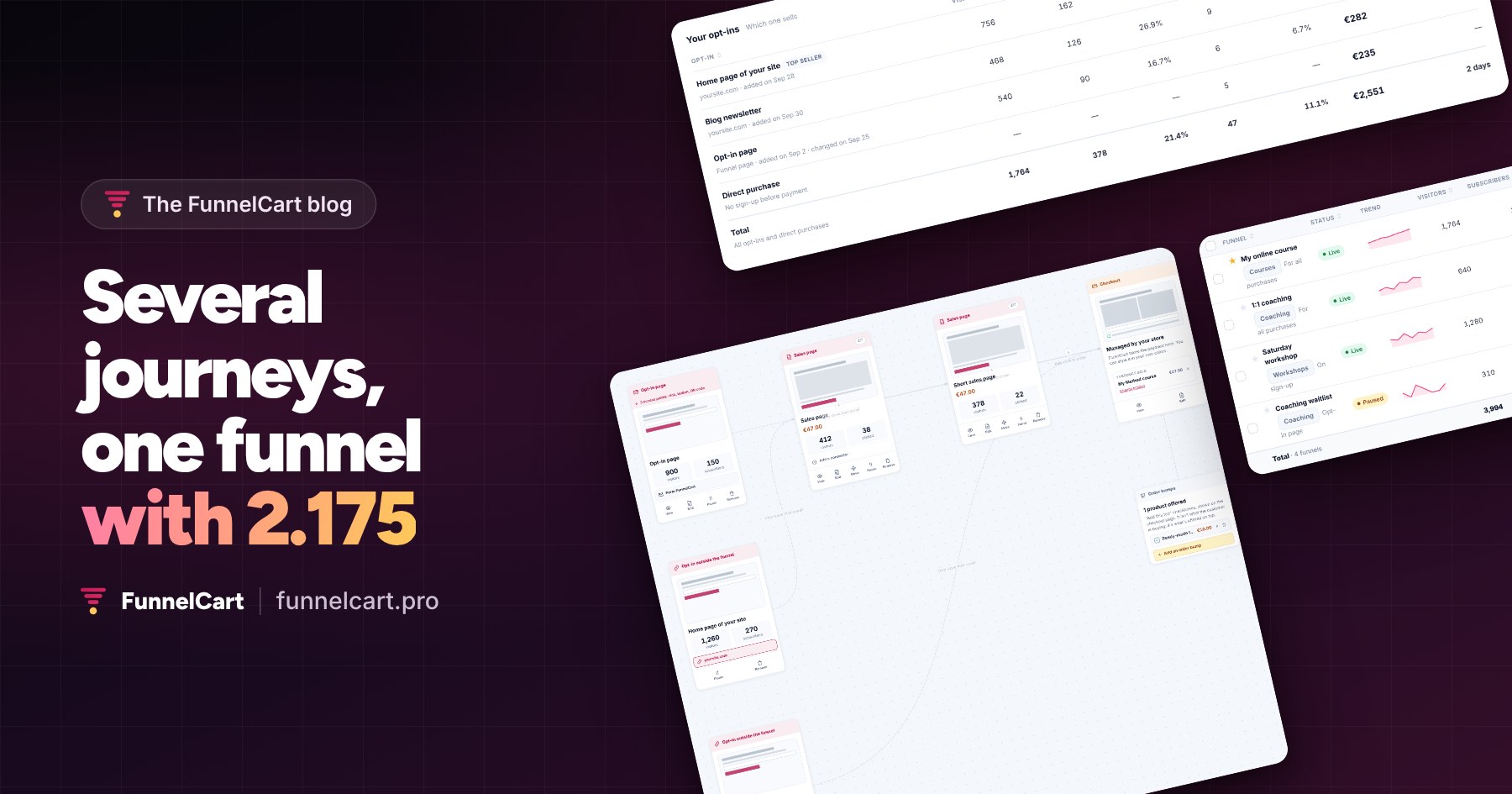
With FunnelCart 2.175, each source of leads follows its own path to the purchase, inside the same funnel. You see which path sells the most, and the forms on your other sites feed into your main funnel.
Your leads don’t all come through the same door. Some go through your opt-in page, others through your website’s home page, others through your newsletter. They don’t know you the same way, and they don’t need the same pitch to buy.
This is the biggest update since the launch of FunnelCart. It lets you build a journey for each of these audiences, in a single funnel. It installs in one click, from the update banner in your WordPress.
Several journeys in one funnel
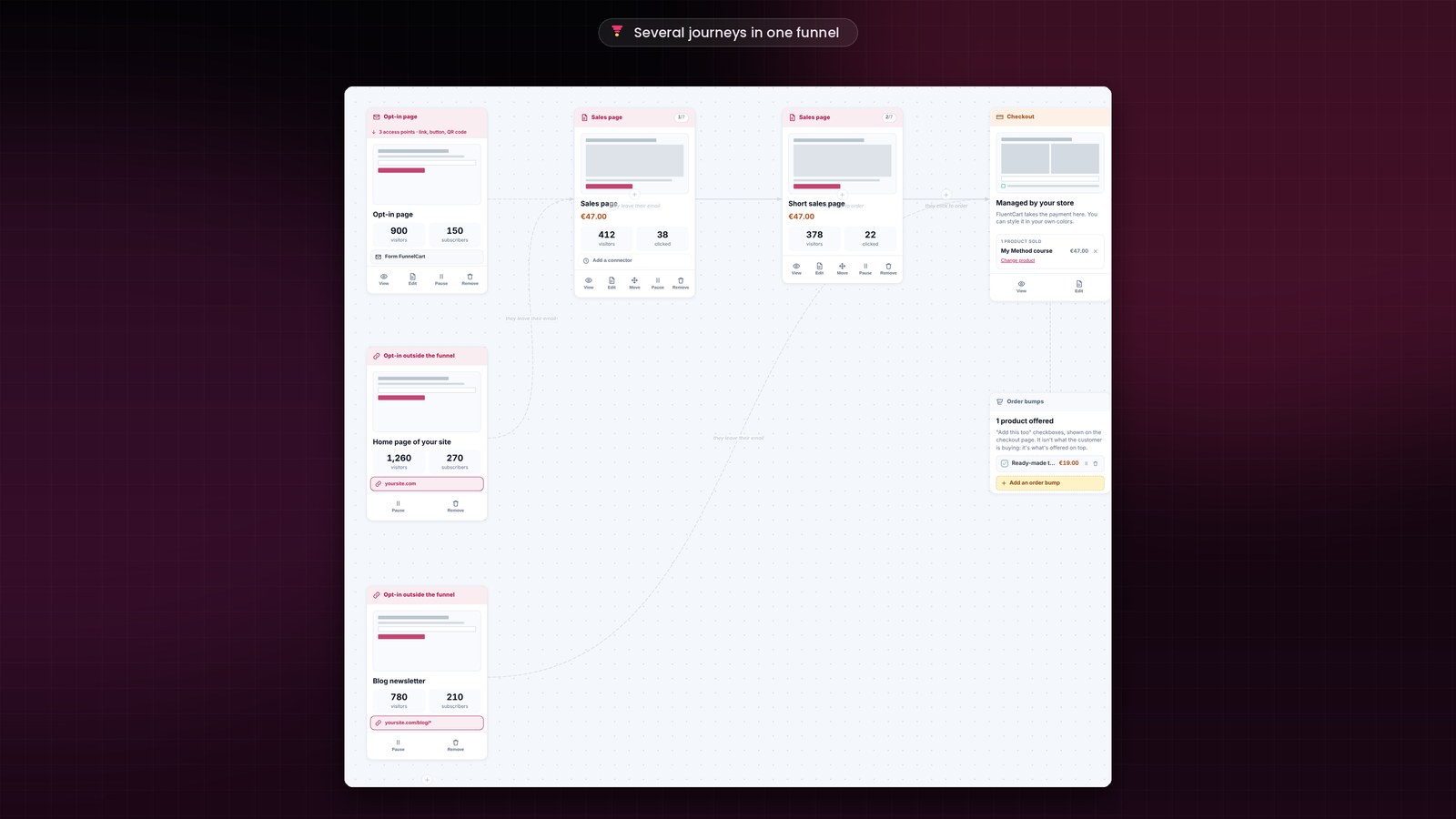
Your funnel now holds several opt-ins and several sales pages. You link them the way you want: each page leads to the step placed after it, or to the one you choose.
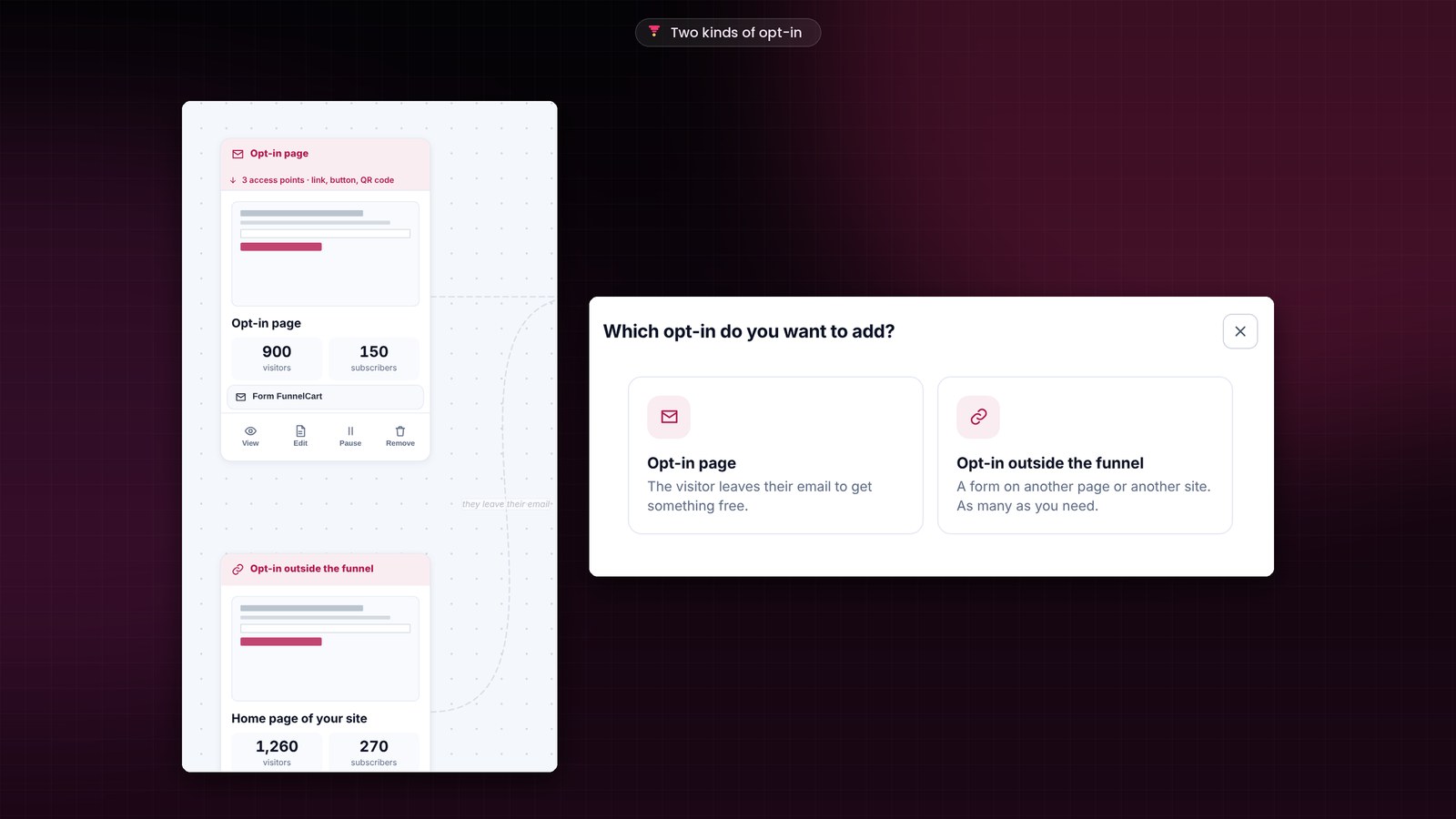
Your sources mix freely. Each time you click “+ opt-in”, you choose: an opt-in page hosted in the funnel, or an opt-in outside the funnel, on your website, on another site or in an online tool. Two opt-in pages, your blog form and your giveaway can all feed the same funnel.
An example. Visitors to your opt-in page are discovering your product: they read your full sales page. Your newsletter subscribers have followed you for months: a short sales page is enough for them. Everyone reaches the same checkout in your FluentCart store, with your order bumps, upsells and downsells.
It’s like having several small funnels inside a single one. You keep one canvas, one checkout and one dashboard.
Beyond A/B testing
The A/B test compares up to four versions of the same page. It’s still there, on each of your pages. With several journeys, you also compare whole paths: where your leads come from, which sales page they read, and which of these paths ends in a sale. You test a way of attracting leads, not just a page.
An opt-in on any page
An opt-in can also live outside the funnel: on your website’s home page, in a blog post, on another site you manage, or in an online tool. In your funnel, click “+ opt-in”, then “Opt-in outside the funnel”, and enter the page address. It lines up at the head of the funnel, with your opt-in page, and it counts as a full step.
FunnelCart gives you a tracking code to paste once into the header of the site that holds the form. The funnel then counts visits and sign-ups, and it recognizes the person when they reach the checkout. Does your form live in an online tool where you can’t paste code? A webhook address takes over: that tool calls it at each sign-up, directly or through Zapier or Make. If the page holds several forms, you choose the one the opt-in follows.
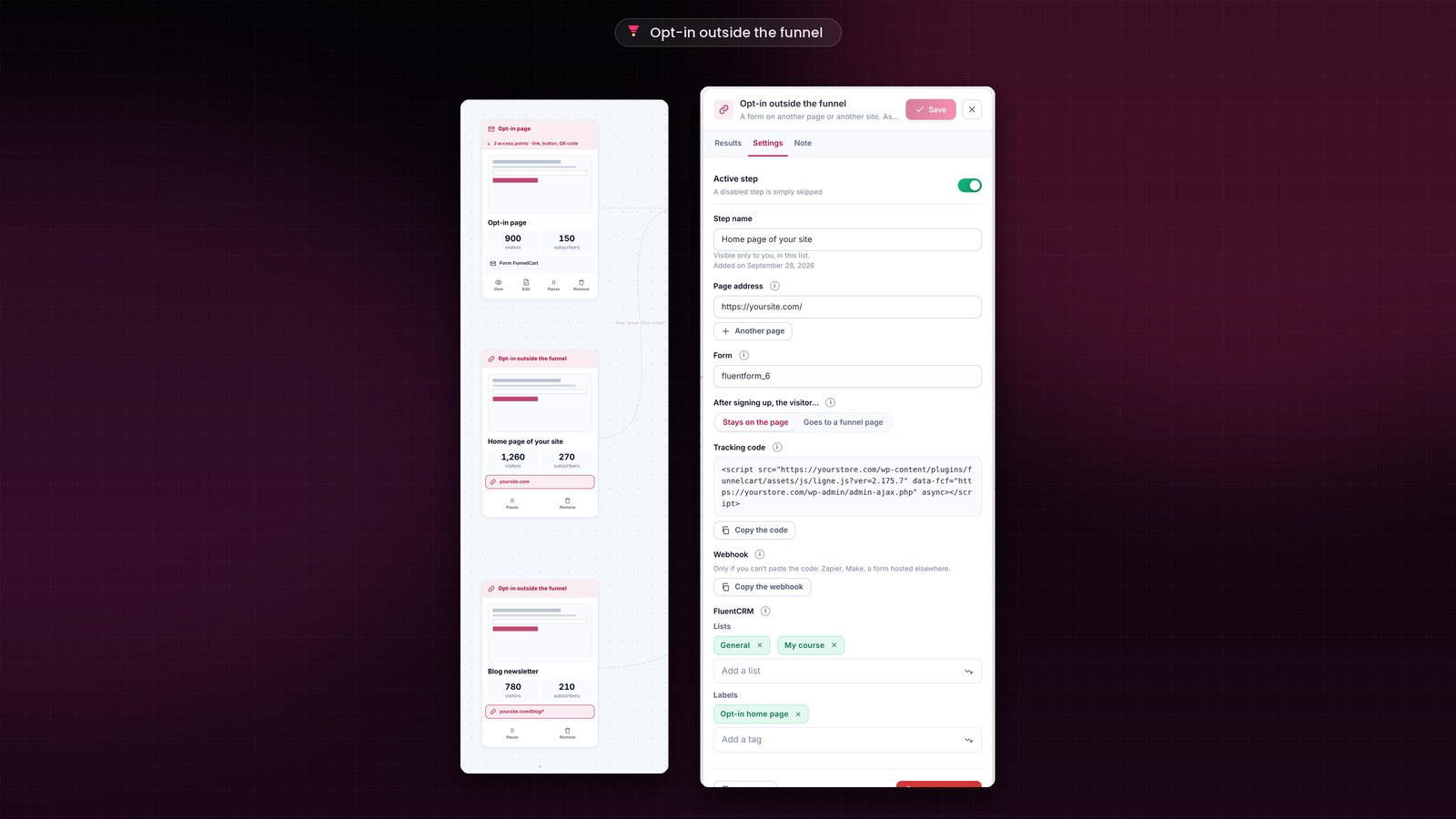
After signing up, the visitor can stay on the page and read your thank-you message, or go straight to the step of your choice. Each opt-in also picks its own FluentCRM lists and tags: your follow-ups go to the right people, with the right message.
You know which journey makes you sell
In each funnel’s analytics, the “Your opt-ins” table puts all your sources of leads side by side. For each one, you see its visitors, its subscribers, its sign-up rate, its buyers, its revenue, and how long it takes a subscriber to buy. A sale goes to the last opt-in completed before the checkout. The top seller is marked.
The “Your sales pages” table does the same for your sales pages. You see which one convinces best, and you keep the journey that sells.
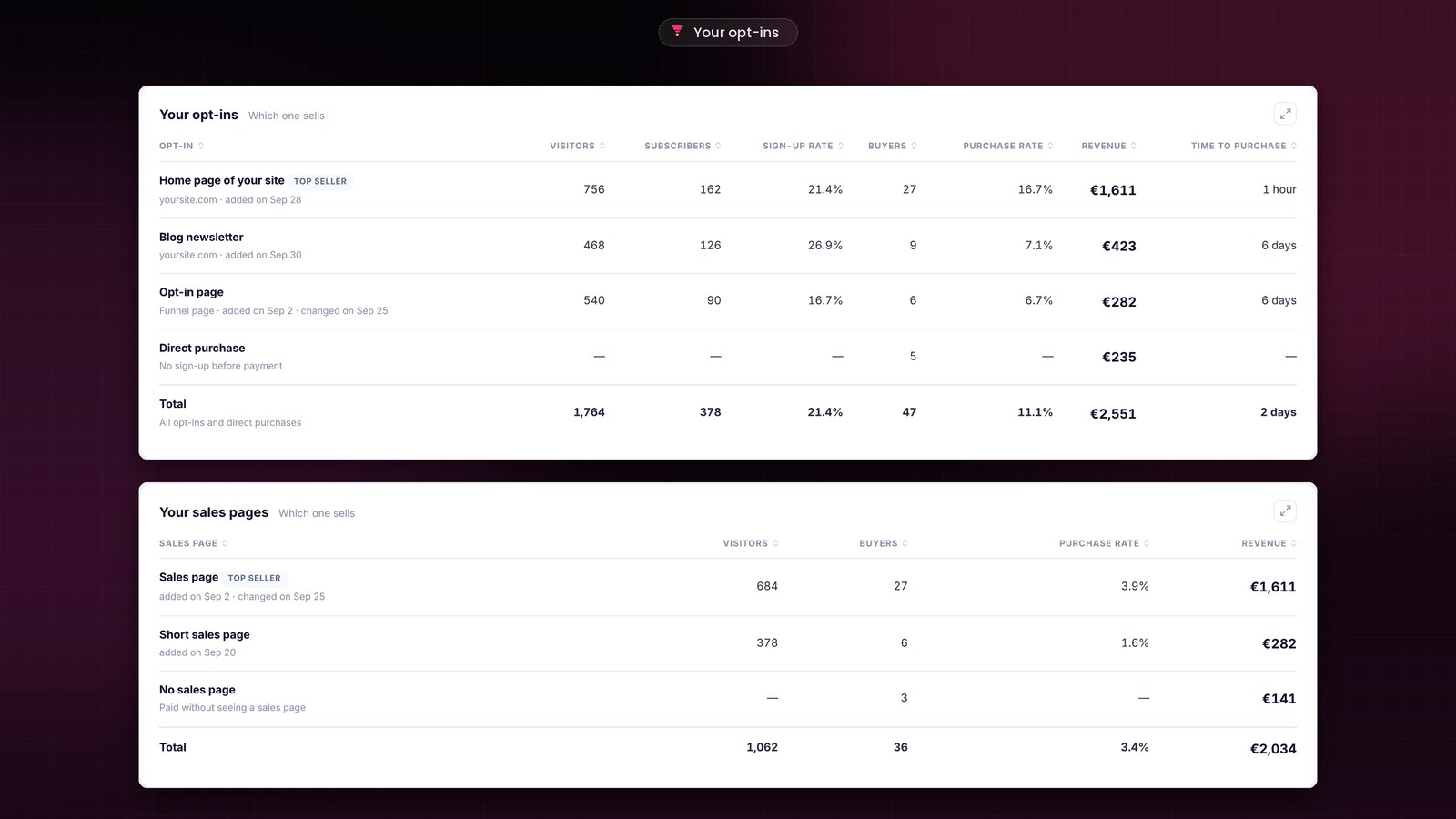
Each step also shows the date it was added and its last change, in the funnel as in the analytics. A page added yesterday is judged differently from a page that has been live for a month.
One funnel for several sites
With the previous update, your funnel could already collect the sales of a sales page placed on another site. This time, the opt-in on an external site joins your main funnel too, and stays in sync with it.
I already do this for Sdravobiz. My store, sdravobiz.com, sells Client Vault, Booking Leads, FunnelCart, Pricati, Maymoune, Apogée Max and my courses. Each one also has its own site. On clientvault.pro, the demo form and the newsletter form are synced with the Client Vault funnel on sdravobiz.com. I see where each subscriber comes from, which page they read, and whether they bought.
Your showcase sites, your blogs and your store work together, and you follow everything from a single funnel. The tracking code updates itself on your other sites with each new version.
Tables you read at a glance
Every table in FunnelCart can be sorted. A small double arrow shows on each column: one click ranks from highest to lowest, a second does the reverse, a third goes back to the original order. The funnel that brings in the most, the lead who spent the most or the page that sells best goes to the top.
Under your list of funnels, a Total row adds up your visitors, your subscribers and your revenue, broken down into product, order bump, upsell and downsell. It follows your filters. Its purchase rate is calculated across all the funnels shown.
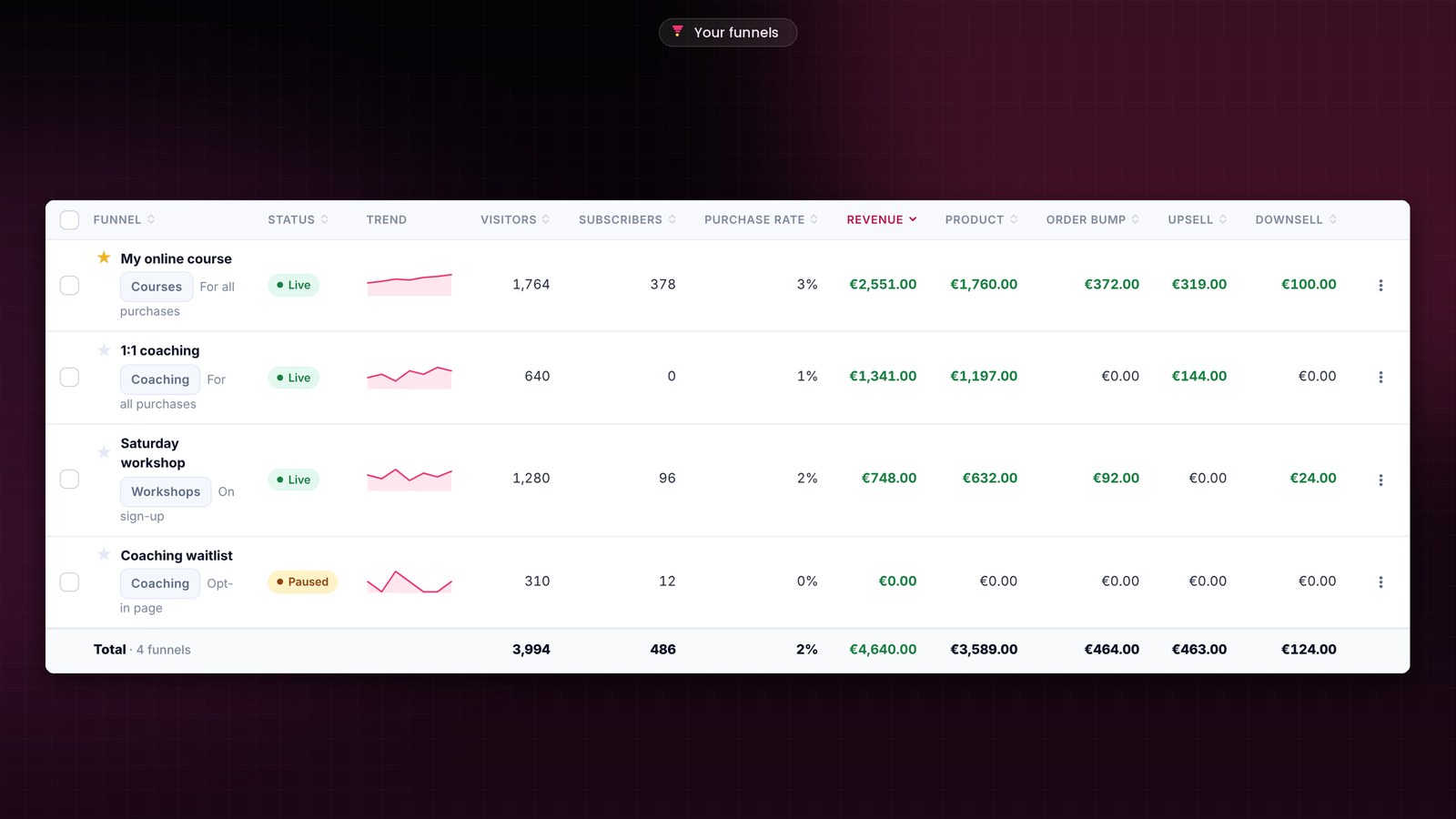
In Leads, sorting covers all your contacts, not just the page on screen, and the CSV export keeps the same order. The table stays on screen while you sort or filter.
More control, every day
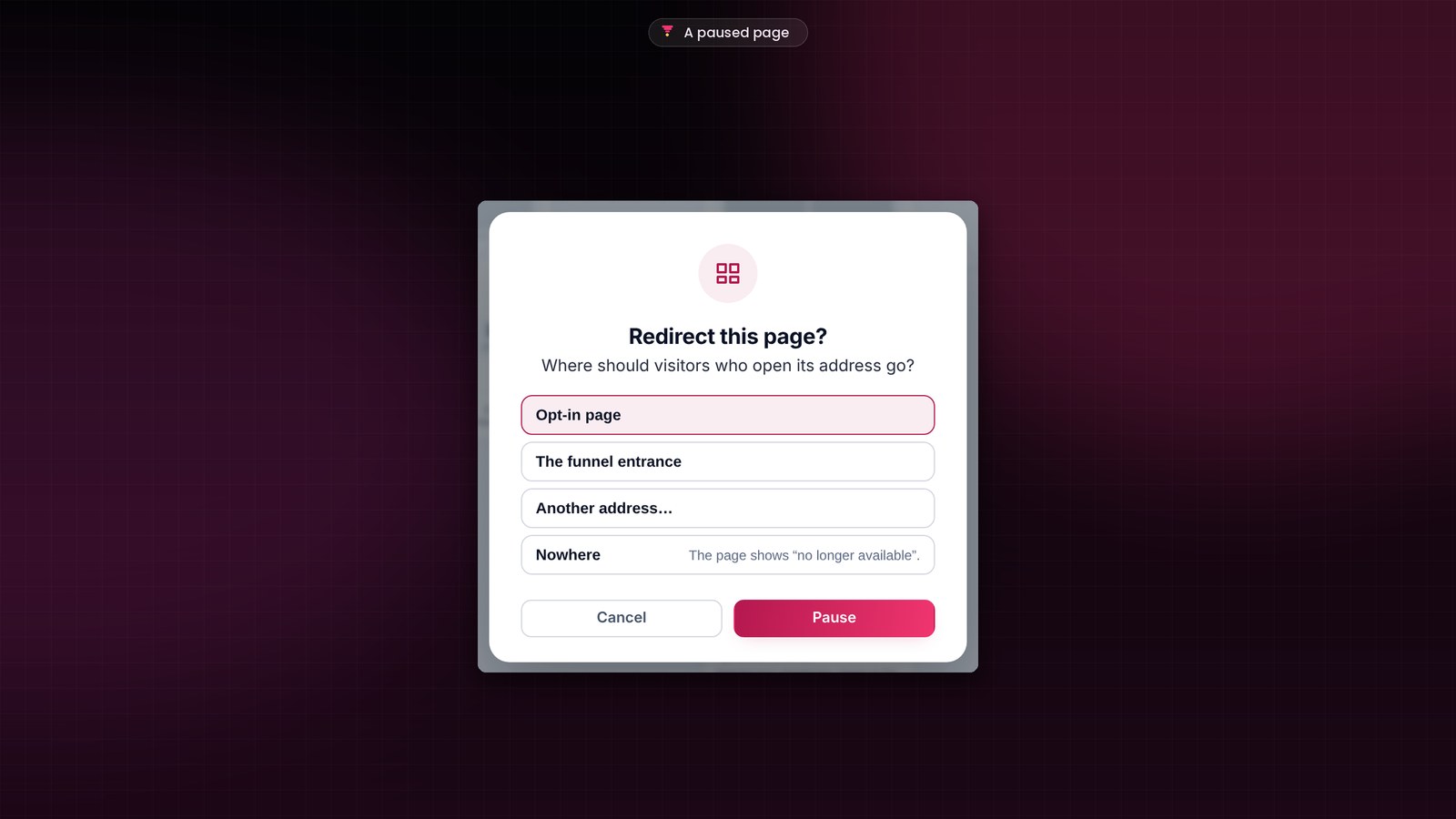
A paused page keeps its visitors
When you pause a page, FunnelCart asks where to send the visitors who open its address: another step of the funnel, the funnel entrance or another address. The links you already shared keep working.
Your tests erased down to the hour
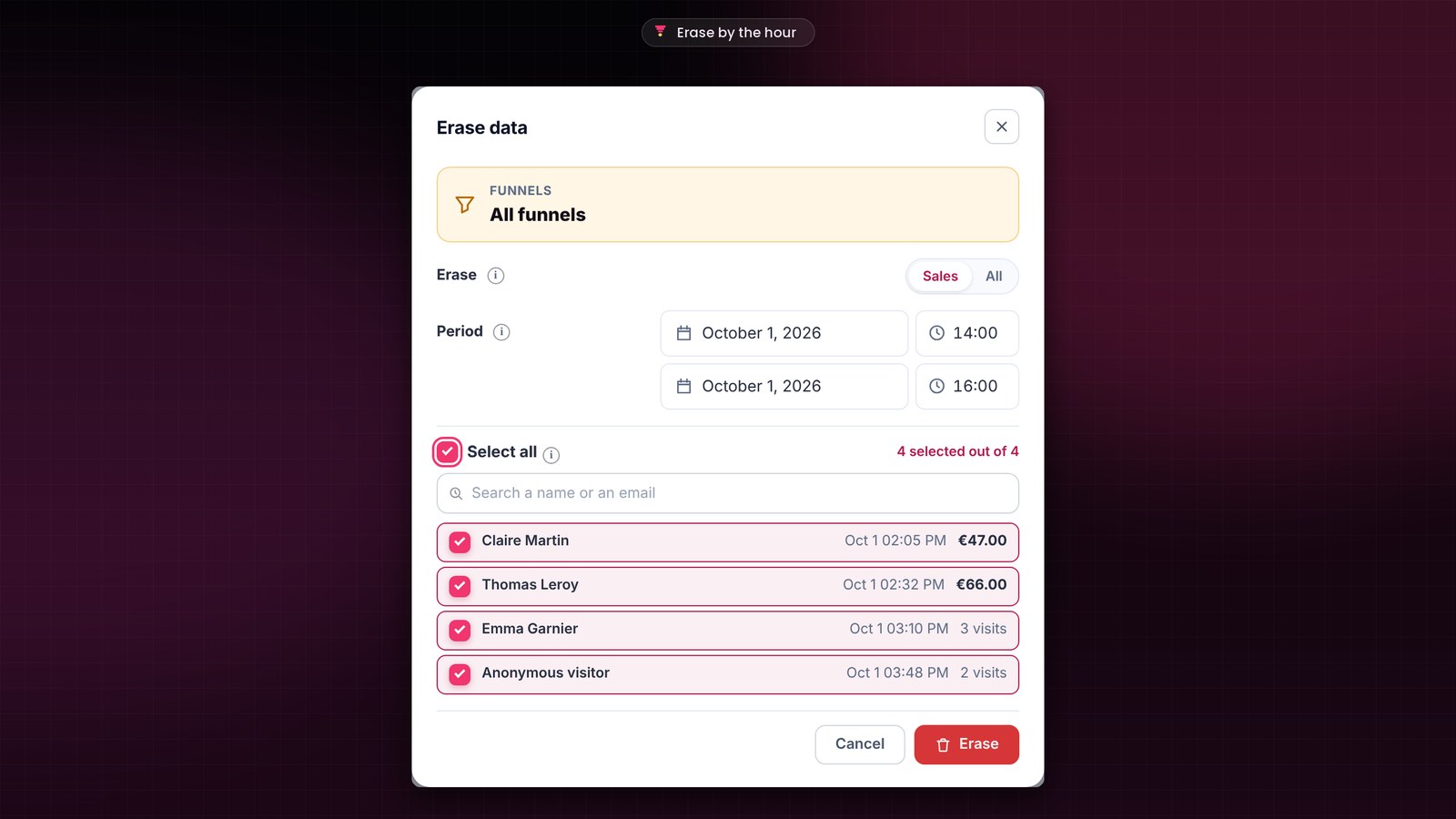
Testing a new opt-in on its launch day? In “Erase data”, you now choose a start time and an end time, for example from 2 pm to 4 pm. Your tests go away, and the day’s real visitors stay. Without a time, it’s the whole day.
Small improvements and fixes
- In the “New funnel” gallery, the “Sales page on another site” blueprint now comes last, after the most common blueprints.
- The preview of a paused page shows that page.
- Each sign-up is counted in the right form, even when a page holds several.
- A newly added opt-in page opens straight onto the choice of the form to connect.
How to update FunnelCart
The update banner appears in your WordPress admin. One click on “Update”, and the update screen takes care of the rest. Your license, your funnels and your numbers are kept.
The details of each version are in the changelog. Don’t have FunnelCart yet? Pricing is on the home page, and a demo shows you everything live.
Founder offer
Keep the journey that sells the most
A one-time lifetime payment or a yearly subscription, with every feature included.
✓ Several journeys in one funnel
✓ The forms on your other sites linked to your funnel
✓ One-click order bump, upsell and downsell
✓ Hosted on your site, zero commission
To go further: the full feature tour, your first funnel in two minutes, FunnelCart in five questions, what’s new in 2.174, the videos, the documentation and the FAQ.
Frequently asked questions
How is this different from an A/B test?
An A/B test compares up to four versions of the same page. Journeys compare whole paths: the source of the leads, the sales page they read, and the sale at the end. The two work together: each page of a journey can have its own A/B test.
How many opt-ins and sales pages can I put in a funnel?
As many as you need. You link each one to the step of your choice, and each has its own numbers in “Your opt-ins” and “Your sales pages”.
Can I connect a form placed on another site?
Yes. You add an opt-in outside the funnel with the page address, and you paste the tracking code once into that site’s header. For a form in an online tool, the opt-in’s webhook address takes over, directly or through Zapier or Make. The form joins your funnel, and its subscribers are followed all the way to the purchase.
Is the update included in my license?
Yes. Updates are included, whether you chose the one-time lifetime payment or the yearly subscription. Your funnels, pages, leads, analytics and settings are kept.
How much does FunnelCart cost?
The price depends on the number of sites. You choose a one-time lifetime payment or a yearly subscription, with every feature included and updates included. All the details are on the pricing page.