

With FunnelCart, a sales funnel takes two minutes to build, with no code: the wizard sets up the steps, writes the pages and designs them. You connect your FluentCart product, walk through the funnel in preview mode, and put it live.
When I talk about sales funnels with people who sell on WordPress, I often hear the same sentence: “It looks great, but I don’t have a week to spare.”
I get it. On paper, a funnel is a sales page, a checkout, an offer after the purchase and a thank-you page. Four or five pages to write, to design, to link together.
I built FunnelCart so all of that fits in two minutes. Let me show you the way, screen by screen.
A sales funnel is a path
In a store, visitors wander around. They look at one product, then another, open a tab, come back three days later. Sometimes, they buy.
A funnel is another way to sell. It runs on your FluentCart store and guides each person along a path you designed. Every page has one goal, and it leads to the next one: the sales page, the checkout with its order bump, a one-click upsell, then the thank-you page.
And a funnel doesn’t only sell. It fills a webinar, opens a waitlist, books appointments, collects quote requests, or gives away a resource in exchange for an email address.
Getting started: your store ready in five screens
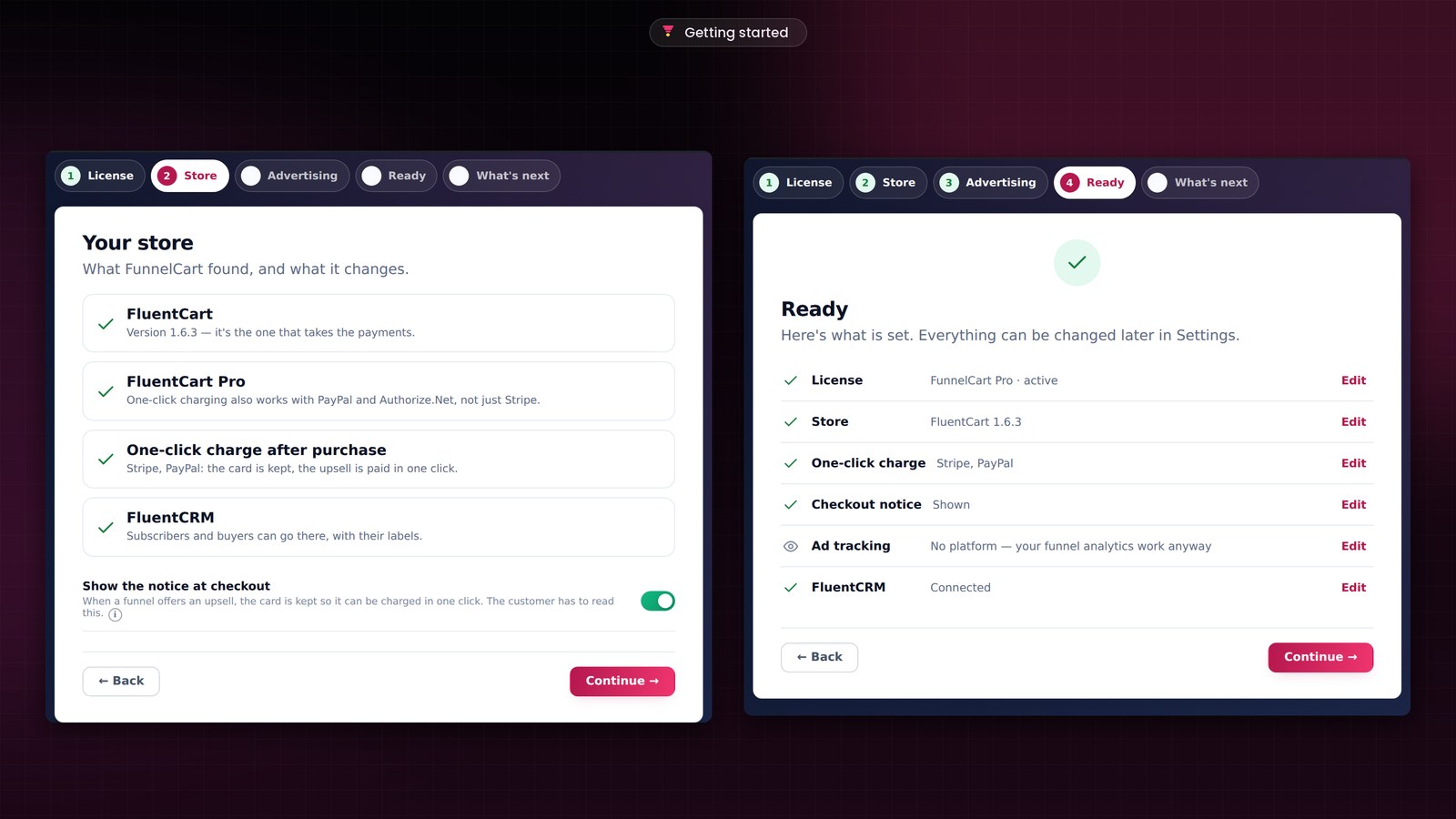
When you activate FunnelCart, a setup guide opens. Five screens, one decision per screen: the license, the store, advertising, the summary, and what comes next.
The Store screen checks everything for you. It checks FluentCart, which takes your payments, and whether your payment methods keep the customer’s card on file. With Stripe, they already do: your upsells are paid in one click. FluentCart Pro extends that one-click charge to PayPal and Authorize.Net. It also checks FluentCRM, where your subscribers and buyers can go with their tags. And if an extension is missing, you install it right from the screen, without leaving.
The Advertising screen takes your Meta, Google Analytics, Google Ads, TikTok, Pinterest and Snapchat IDs. You paste the ones you use, and the line lights up. When your site shows a consent banner, nothing is sent before the visitor agrees.
The Ready screen sums it all up, with an Edit link on every line. The last one offers what comes next: create a funnel, import your CartFlows, FunnelKit or WPFunnels funnels, or load the demo, one filled-in funnel per type to explore the screens before you have any traffic.
Create a sales funnel in three steps
Every new funnel starts with a wizard. Three steps, shown at the top of the screen: the blueprint, the design, the setup. You always see where you are, and you go back in one click.
A blueprint close to what you sell
Blueprints are sorted by goal: sell, collect contacts, book appointments, retain your customers. Seventeen ready-built funnels, for an online course, a consulting service, a subscription, a webinar, a waitlist or a quote request.
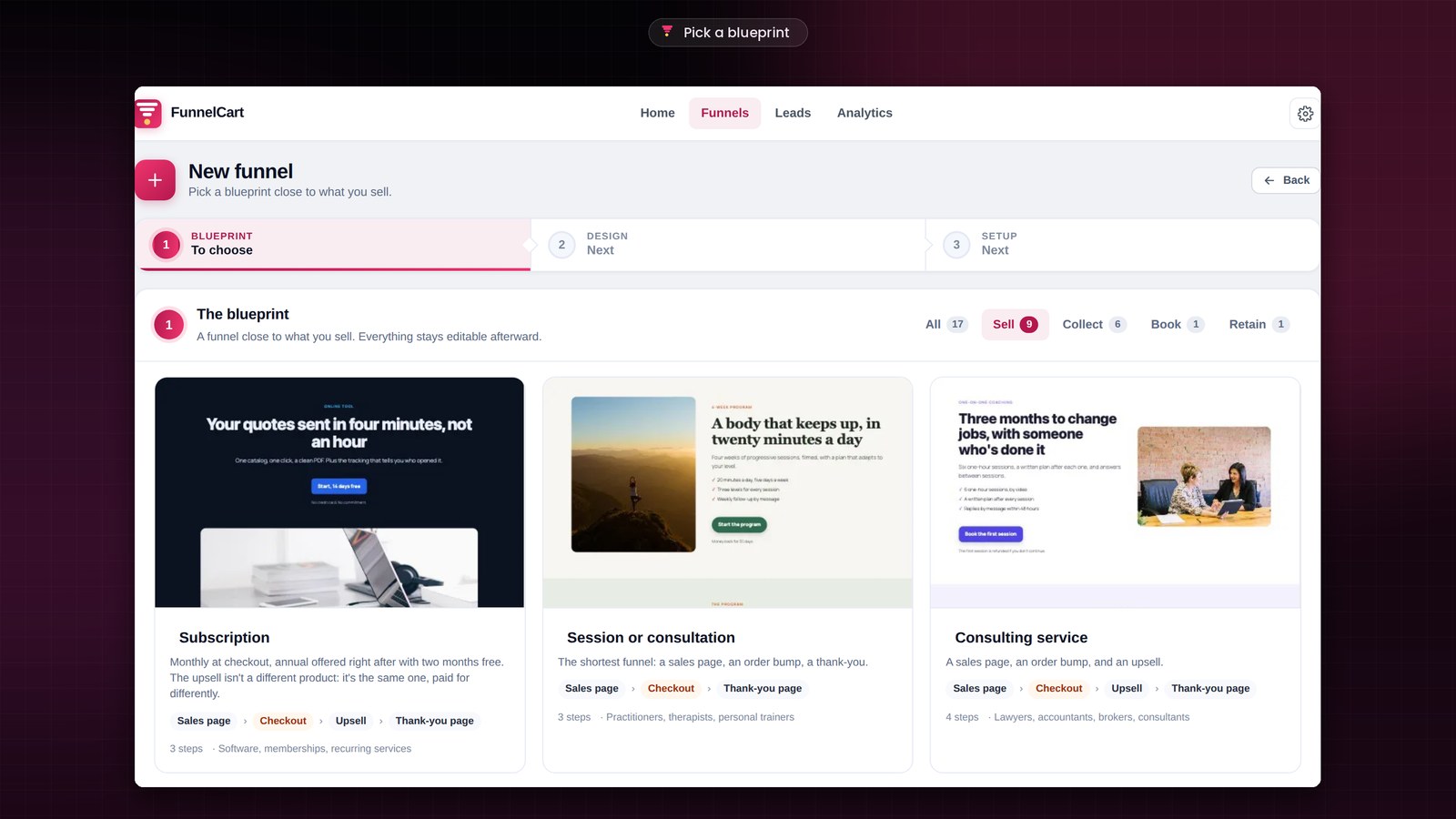
Each card shows a preview of the first page, the sequence of steps, how many there are and who the blueprint is made for. You see at a glance what you’ll get. Prefer a blank page? The Start from scratch card gives you an empty funnel to build step by step.
A design for the look of your pages
The second step is the design. Ten themes, each one made for a trade: Atelier for online courses, Nova for software, Signal for launches, Vital for fitness and wellness, Maison, Studio, Boutique, Auteur, Cabinet and Table.
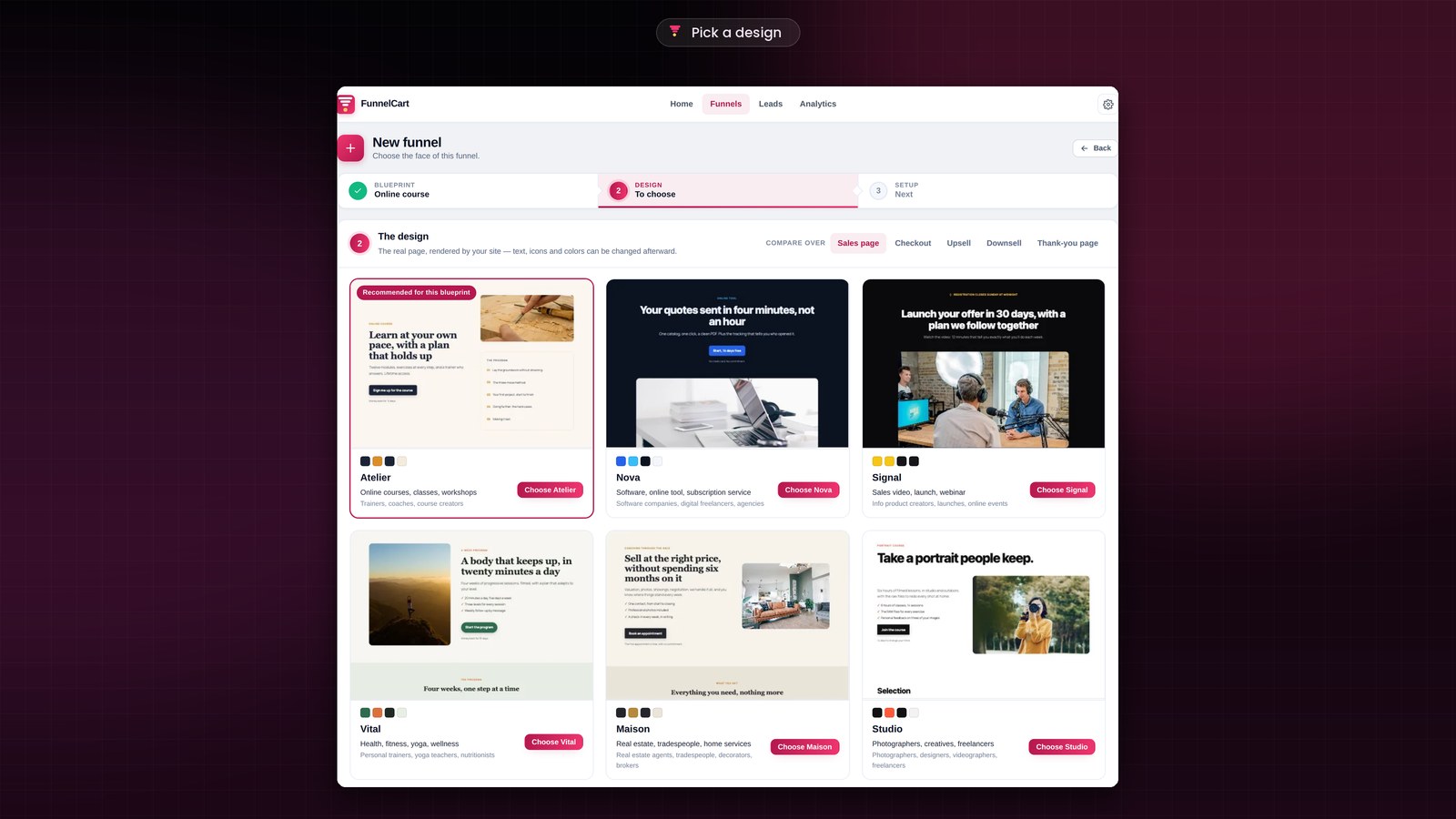
What you see are real pages, rendered by your own site. You compare them on the sales page, the checkout, the upsell, the downsell or the thank-you page, and you open one full size for a closer look. The theme that best fits your blueprint comes first, with the Recommended for this blueprint label.
Your answers, and the funnel is created
The third step only asks what a blueprint can’t guess. The funnel name, visible only to you. An opt-in page first, if you want the email address before the sale. The product from your store that you sell, then the one you offer on top, at checkout and after the purchase. And your photos, set once for every page.
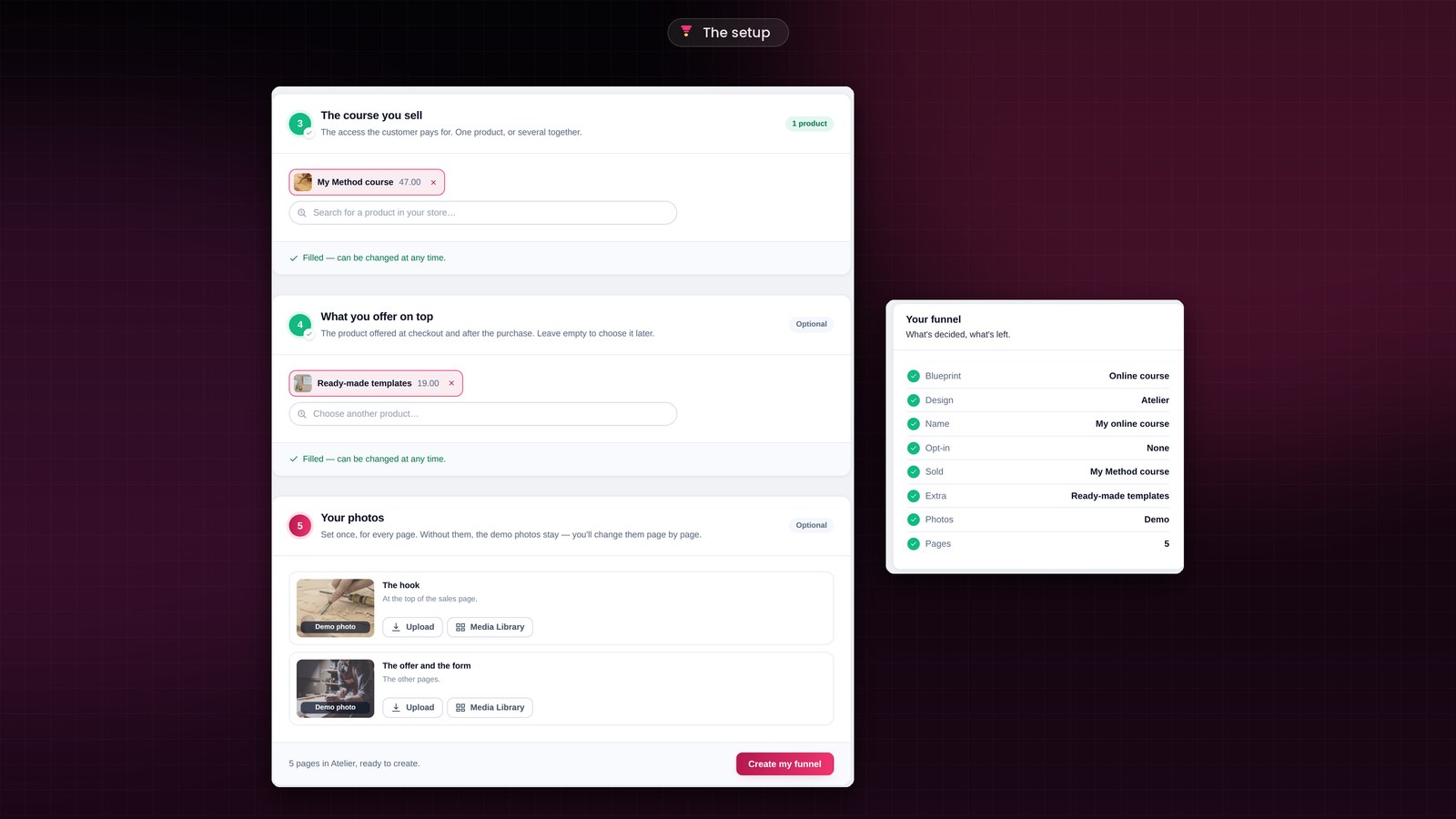
The questions follow your blueprint. A funnel that gives away a resource asks for the file to deliver. An appointment funnel asks for the calendar to show. Every optional question can be skipped in one click, and the funnel will remind you of what’s left to choose.
On the right, the Your funnel summary fills in as you go, and your pages appear in the order the visitor will see them. You click Create my funnel, and the funnel exists. The steps are in place, the pages are written and designed, drawn from more than eighty page templates. Two minutes, without a single line of code.
Prefer to see it in action? Book a demo, or watch the two-minute videos.
The blueprint copy gives you a solid base. You rewrite it in your own words in the page builder you already know: Gutenberg, Elementor, Divi or Bricks.
The canvas: your sales funnel at a glance
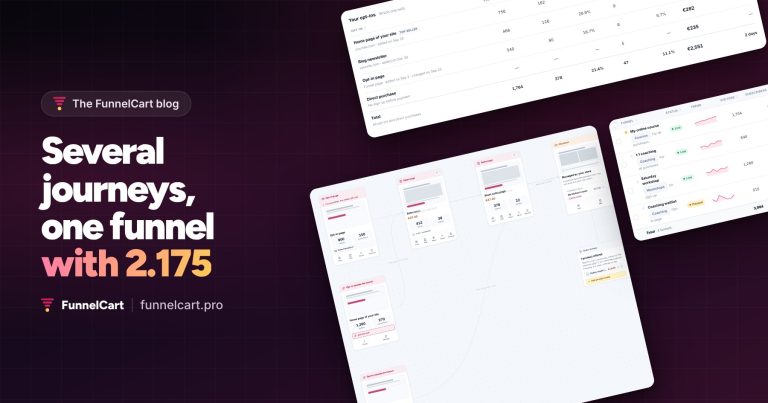
Once created, your funnel appears on a canvas. In Journey view, the steps read from left to right, in the order your visitors go through them. In Flow view, they read from top to bottom, which is handy when the funnel splits into several branches.
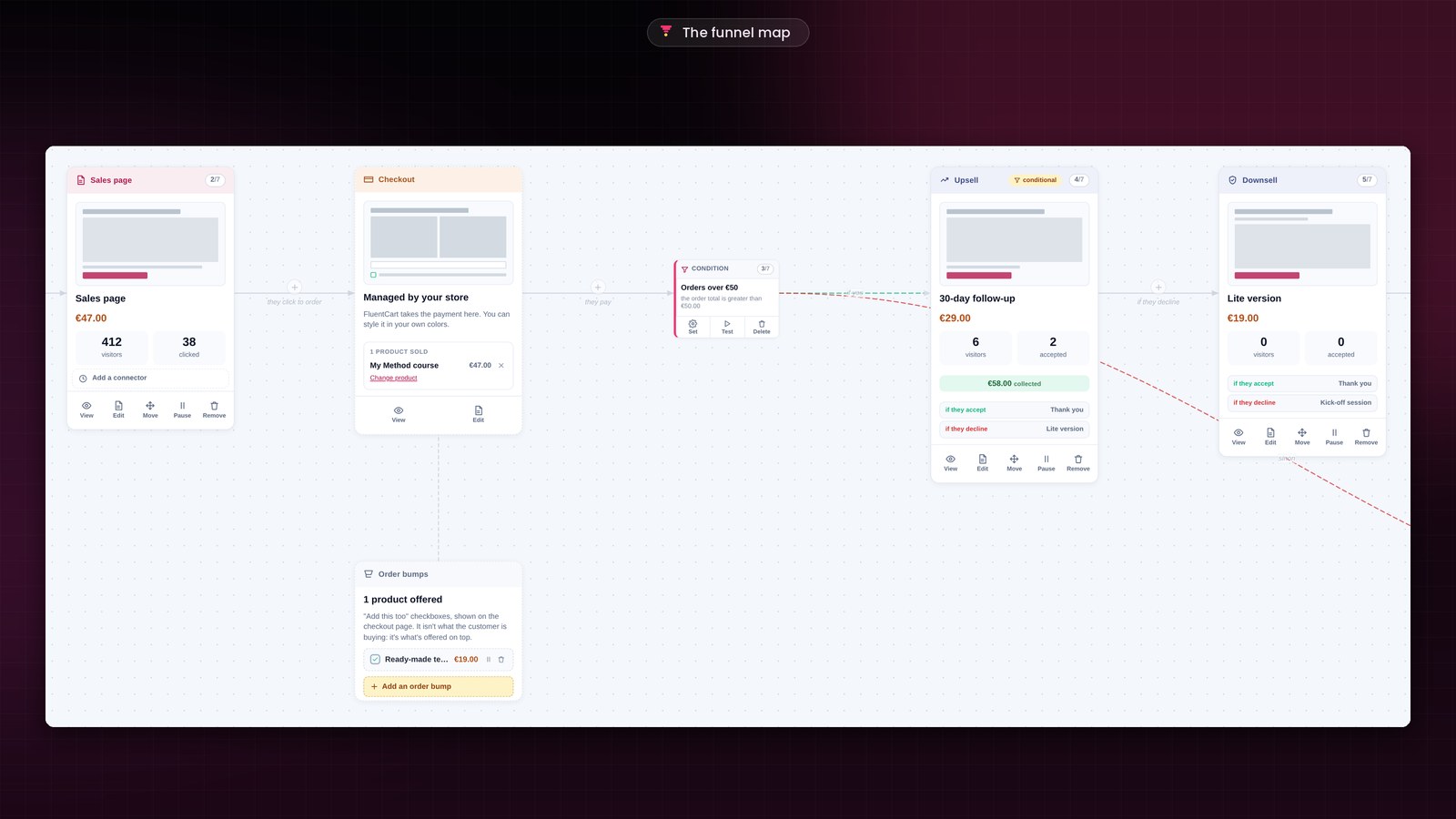
Each step card carries its own numbers: its visitors, the people who clicked or accepted, and what it brought in. In the example, the sales page for the €47 course had 412 visitors, and 38 clicked. You see right away which step is working for you.
To add a step, you click the + button between two cards. To change the order, you drag a card. And before you launch anything, preview mode takes you through the whole funnel like a visitor, from the first page to the thank-you page. Offer and thank-you pages stay reserved for the people who followed the path.
Bring your visitors into the funnel
A funnel starts wherever your visitor finds you. A link in an email, a button on your site, a QR code, an ad. Or a Fluent Forms, WPForms or Gravity Forms form. Or a calendar: FluentBooking, BookingLeads, Calendly, Amelia. More than twenty connectors are ready, and each funnel has its own incoming webhook for every other tool.
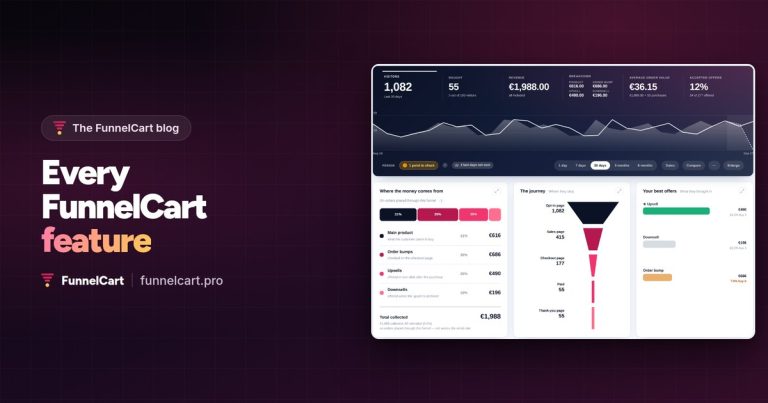
Your first funnel will soon have company. Funnels, steps, offers: everything is unlimited, and every feature is included, with a one-time lifetime payment or a yearly subscription. The Funnels screen brings them together, with each one’s revenue and what your order bumps, upsells and downsells added to your sales. And FunnelCart’s styles and scripts only load on funnel pages: the rest of your site keeps all its speed.
Founder offer
Your first funnel live in two minutes
A one-time lifetime payment or a yearly subscription, with every feature included.
✓ A guided setup as soon as you activate it
✓ 17 funnel blueprints and 10 themes
✓ Your pages in Gutenberg, Elementor, Divi or Bricks
✓ Unlimited funnels, steps and offers
Your funnel is in place? Every step is also filmed in the two-minute videos, and the documentation and the FAQ answer the rest.
Frequently asked questions
Do I need to know how to code to create a sales funnel?
No. The wizard sets up the steps, writes the pages and designs them. You connect your FluentCart product and you publish. The pages are then edited in Gutenberg, Elementor, Divi or Bricks.
How much does FunnelCart cost?
You choose a one-time lifetime payment or a yearly subscription. Either way, every feature is included: unlimited funnels, steps and offers. The details are on the pricing section.
What do I need to prepare before creating my first funnel?
The product you sell, in your FluentCart store. You can even choose it later: the funnel will remind you. Your photos are optional, the demo photos stay in place until you change them.
Which version of FluentCart do I need?
The free version of FluentCart is all you need. With Stripe, your upsells are already paid in one click. FluentCart Pro extends that one-click charge to PayPal and Authorize.Net. FunnelCart requires PHP 8.1 or higher.
Can I change the copy and the colors after creating the funnel?
Everything stays editable afterward: the copy, the icons, the colors and the steps. You add, remove or reorder steps on the canvas, and you fine-tune each page in your page builder.
Can I bring over my CartFlows, FunnelKit or WPFunnels funnels?
Yes. You import their export file in one click, from the last setup screen or later on, and the funnel appears on your canvas.
Can I test my funnel before it goes live?
Yes. Preview mode takes you through the whole funnel like a visitor, before launch. And the demo shows you one filled-in funnel of each type, so you can explore the screens.