
FunnelCart 2.176 looks after your list right from the opt-in page. You choose whether the first name is asked, test and disposable addresses stay at the door, and you see at a glance everything the funnel sorted out for you.
It all started with my own funnel. On Sdravobiz, I give away an extension in exchange for a sign-up, and while reading through the new subscribers one morning, I found a few records with no first name and a lovely “test@test.com”. My welcome email had gone out with a rather lonely “Hello ,”.
I figured you probably had the same thing in your lists. So I tackled it at the source, at the very moment the person clicks the button. Version 2.176 sorts things out before anything is saved, and your emails reach real people, greeted by their first name.
A first name for every subscriber, if you want it
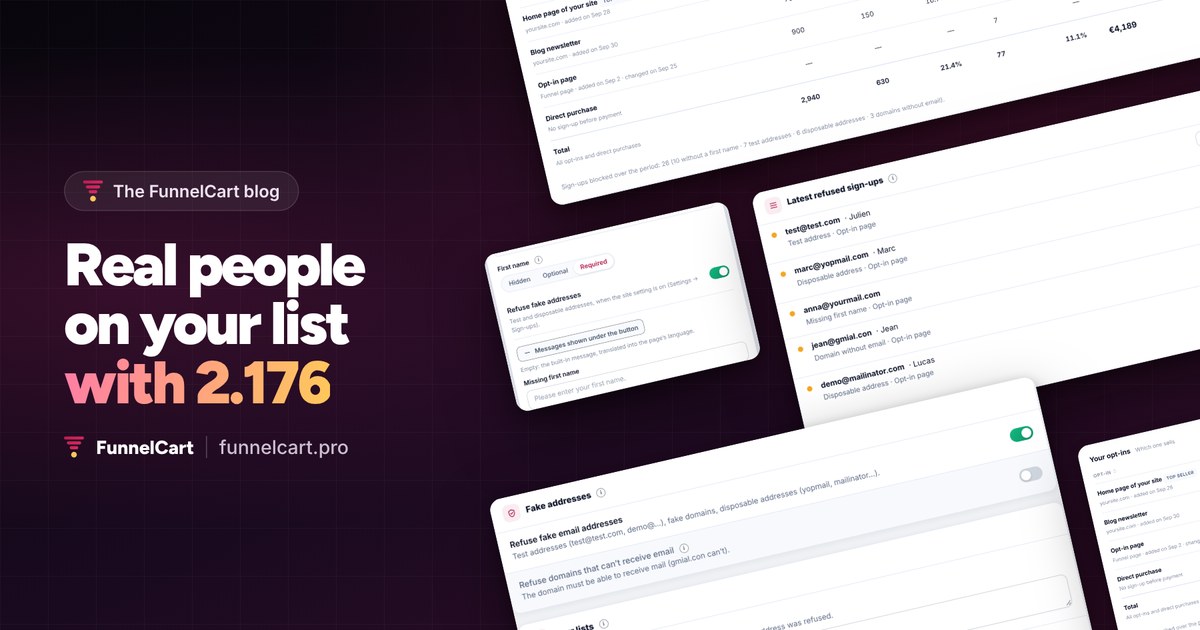
Every opt-in page now has its own “First name” setting, in the step’s Settings tab. You get three choices: hidden, optional or required. For a lead magnet, an email is often enough. For a page that opens a welcome sequence, I set the first name to required: every message speaks to the person, not to an address.
The form won’t submit without a first name, and the server checks what comes in too. “Anne-Sophie”, “Zoë” or “O’Neil” go through without a hitch, and so do names written in another alphabet. A name with no letter at all, far too long, or containing a link, the usual signature of bots, is set aside.
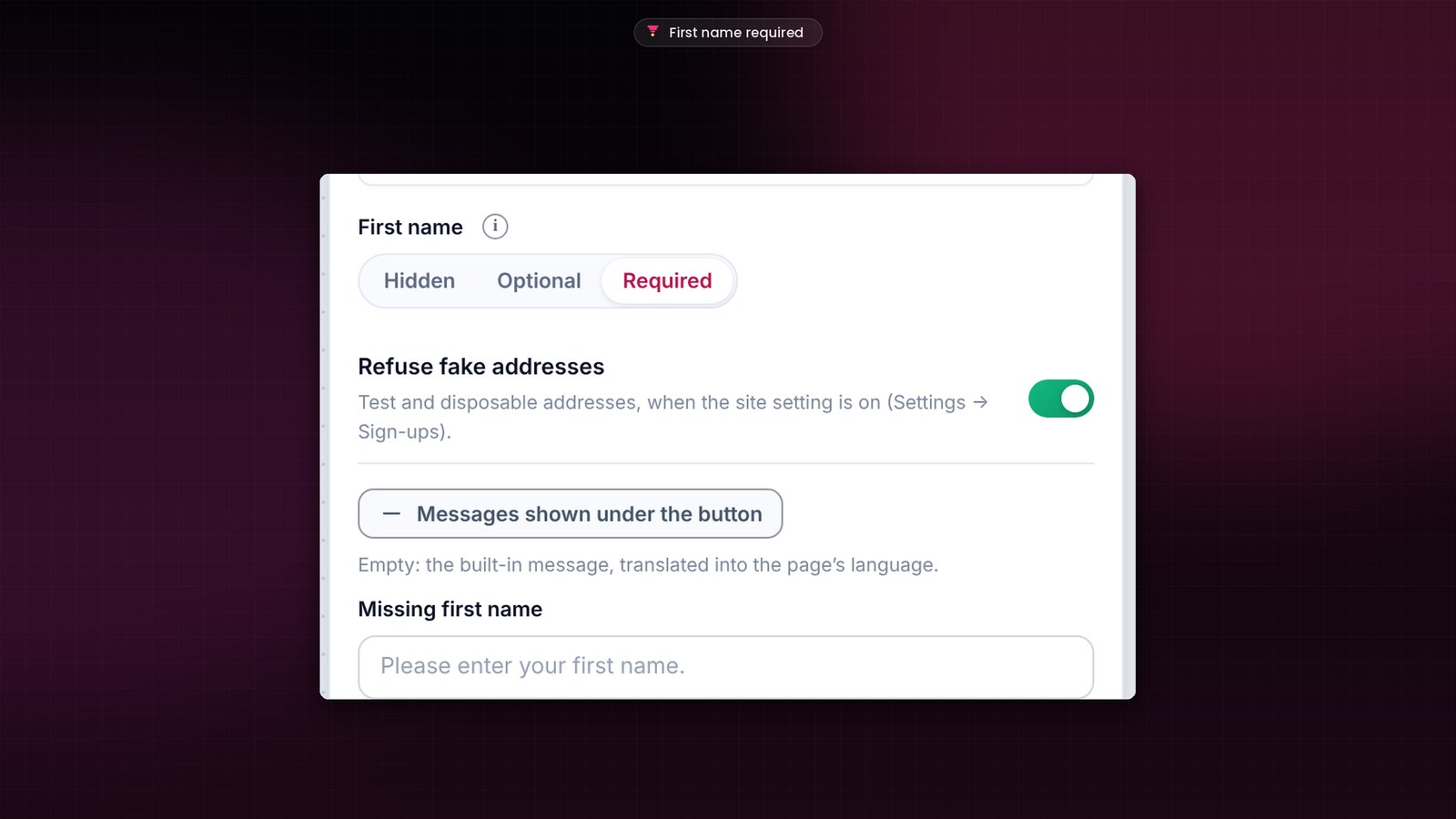
With the update, I didn’t touch any of your live pages: they keep their current setting. New opt-in pages start with the first name required. Prefer it another way? One click on the step and you’re set.
Only real addresses on your list
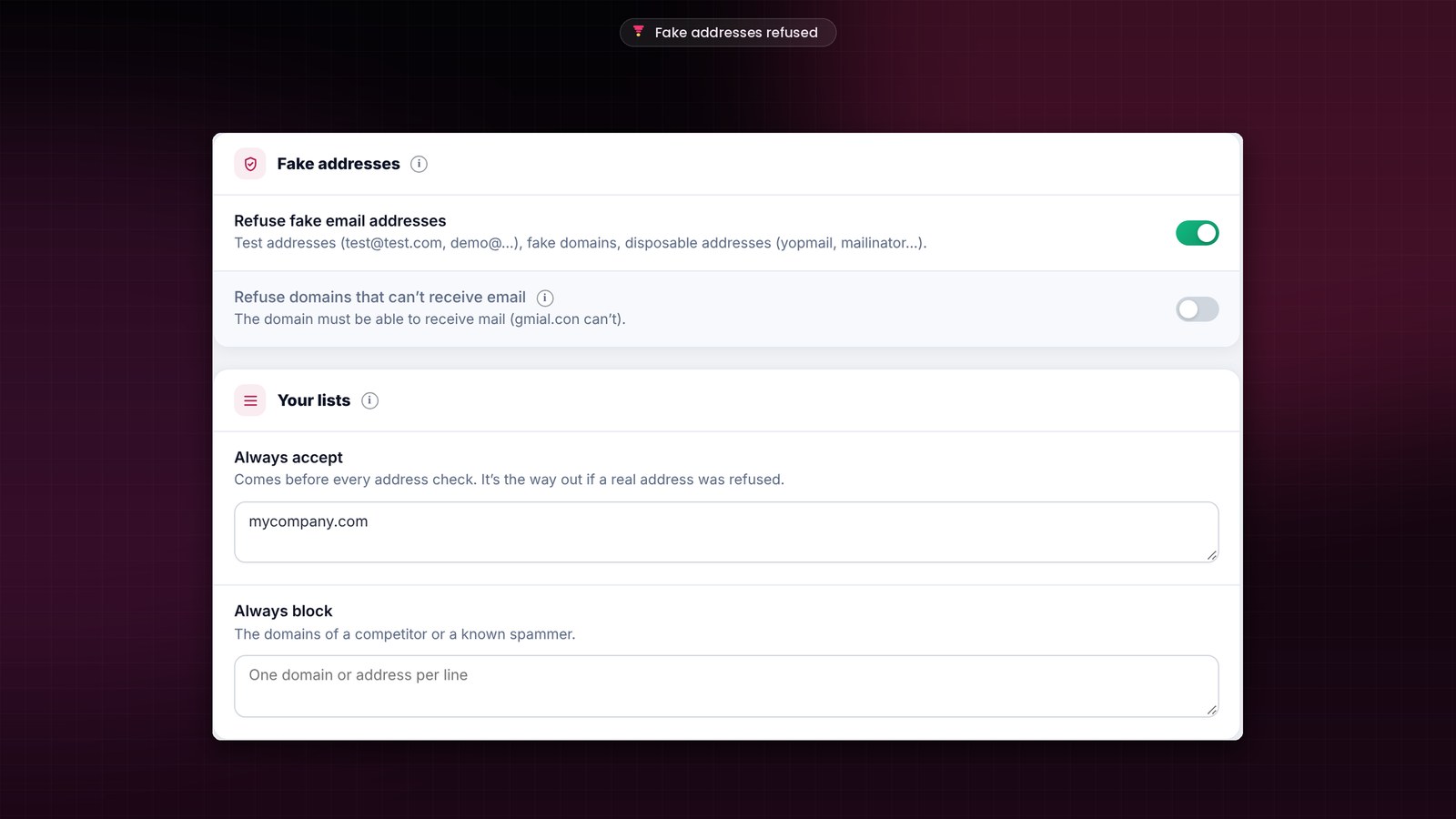
In Settings, a new “Sign-ups” screen gathers everything that protects your list. The first switch, “Refuse fake email addresses”, is on as soon as you update. It sets aside “test@” and “demo@” addresses, made-up domains, extensions reserved for testing, and disposable addresses. FunnelCart knows nearly 10,000 of them, yopmail and mailinator included, and I refresh that list with every release.
The second switch goes one step further. It checks that the address’s domain can actually receive mail. Someone types “jean@gmial.con”? They see it right away and fix the typo, instead of waiting for an email that would never come. You turn it on whenever you like. And I planned for the case where the name server doesn’t answer: everyone gets through, and your sign-ups stay open.
Same thing for a mistyped address, with a space in the middle for example: the person is told and fixes it before submitting. You get the exact address, just as it is.
You have the final say
Two lists keep you in control, with one domain or address per line. “Always accept” comes before every check: I put my own company’s domain there, for instance. “Always block” sets aside the domains you choose, like a slightly too curious competitor or a spammer you already know.
Messages that sound like you
When a sign-up is refused, the person reads a simple sentence under the button, in the page’s language: “Please enter your first name.”, or “Please use your real email address: that’s where we’ll write to you.” Prefer your own tone? Each opt-in page can write its own messages. It can even switch the address check off for itself only, while you run a test.
Only accepted sign-ups enter your funnel, your CRM and your automations. Your numbers and your sequences speak to real people, and to them alone.
You see everything your funnel sorted out
I like knowing what happens on my pages, so I wanted this sorting to be visible. Below the settings, “Latest refused sign-ups” shows each refusal with the address, first name, reason, page and time. If a real address slipped into the batch, the “Accept this domain” button adds it to your list in one click.
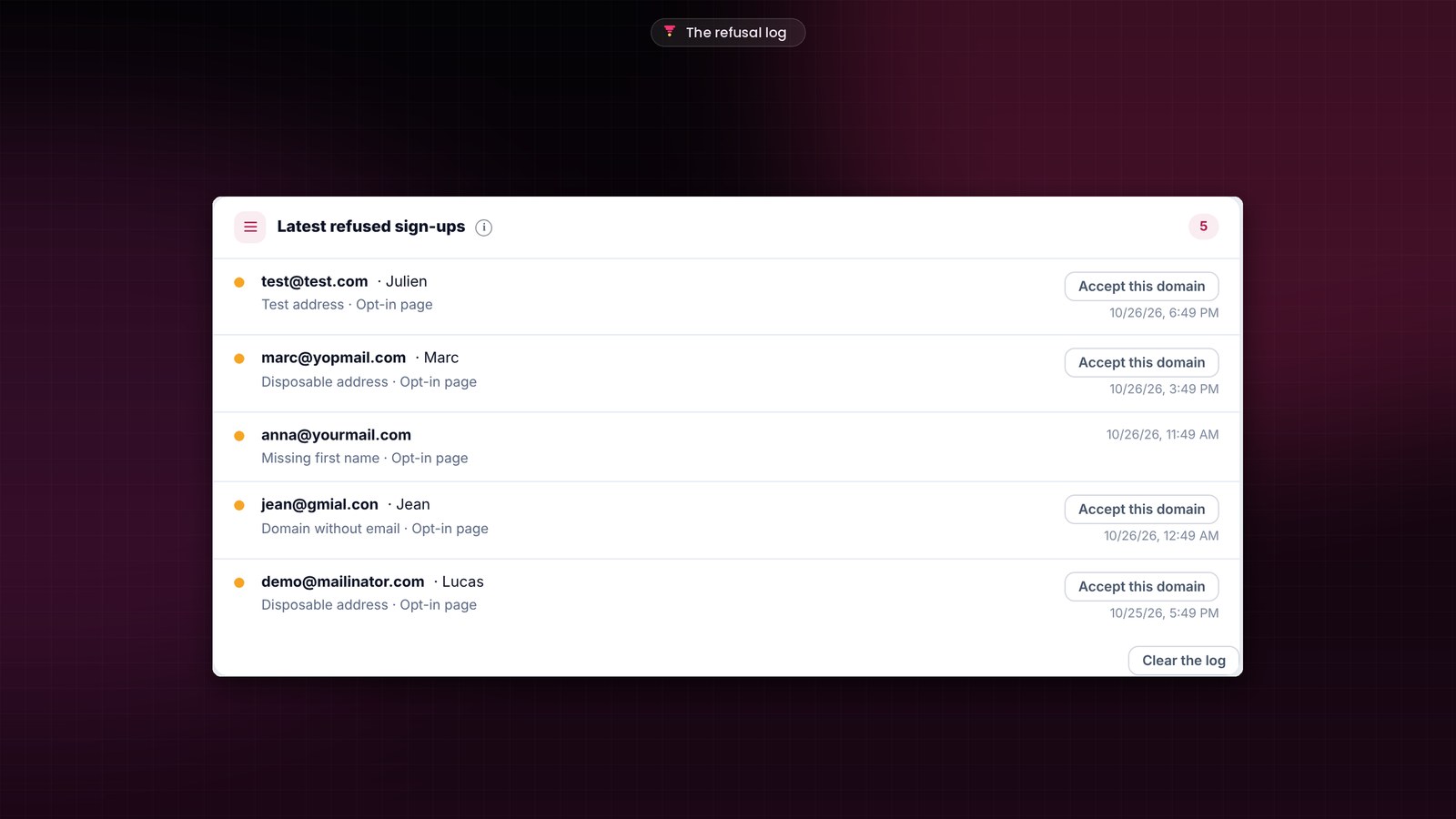
This log keeps the last 200 refusals over 30 days, then clears itself. WordPress’s tools to export or erase an address’s personal data include it, like the rest of FunnelCart.
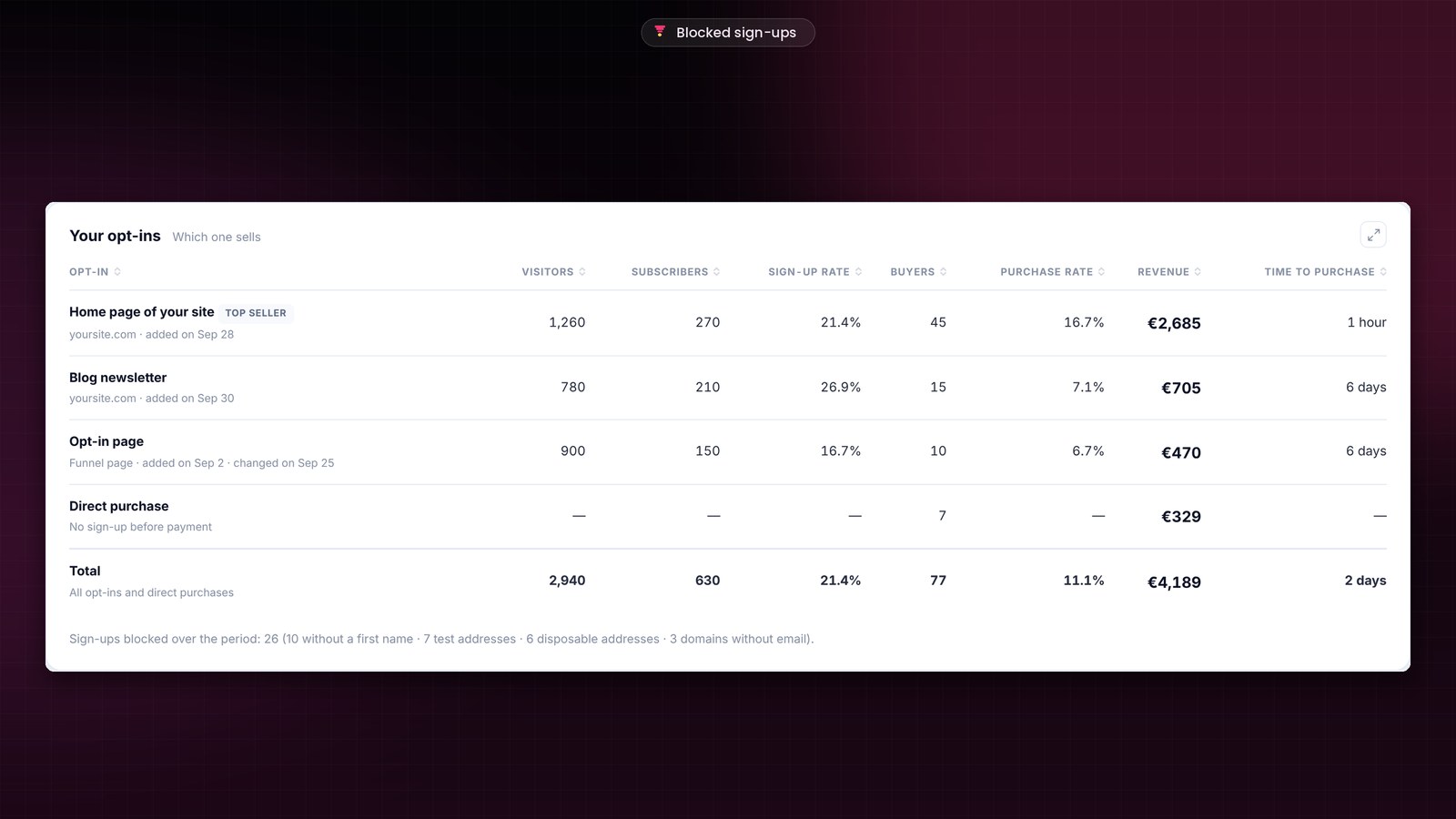
In each funnel’s analytics, right below “Your opt-ins”, a line counts the period, reason by reason. In this example, 26 sign-ups sorted out in a month: your open rate finally reflects your real readers. To read the rest of that table, here is how to compare your opt-ins.
Your store purchases keep their receipt
This release also brings a fix I cared about. A funnel can welcome customers who buy directly in your store, to offer them an upsell right after payment. From now on, it does so only when you decided it, with a rule set at its “After a purchase in the store” door. Every other purchase lands on FluentCart’s usual receipt.
In the funnel settings, that door says it in plain words: “none: only purchases made in the funnel”. A demo funnel stays away from store purchases, and purchases made in the funnel follow their journey as before.
How to update FunnelCart
The update banner appears in your WordPress admin. One click on “Update”, and the update screen handles the rest. Your license, your funnels and your numbers are kept. Then take two minutes to set the first name on your opt-in pages, and turn on the domain check if you feel like it. If you build your own modules, a filter lets them add their own sign-up rules.
Every release is detailed in the changelog. Don’t have FunnelCart yet? Pricing is on the home page, and a demo shows you everything live.
Founder offer
A list of real leads, funnel after funnel
A one-time lifetime payment or a yearly subscription, with every feature included.
✓ The first name set page by page
✓ Real addresses only, right at sign-up
✓ One-click order bump, upsell and downsell
✓ Hosted on your site, zero commission
To go further: every FunnelCart feature, your first funnel in two minutes, what’s new in 2.175, the videos, the documentation and the FAQ.
Frequently asked questions
Do my opt-in pages change with the update?
They keep their first-name setting: optional if they asked for it, hidden otherwise. Refusing fake addresses turns on for everyone. The domain check stays off until you turn it on, in Settings, Sign-ups.
How do I make sure a specific domain is always accepted?
Add it to “Always accept”, in Settings, Sign-ups. This list comes before every address check. From the list of refused sign-ups, the “Accept this domain” button does the same in one click.
Can I write my own messages?
Yes. In each opt-in page’s settings, “Messages shown under the button” lets you write your own for each case. Left empty, the built-in message shows, translated into the page’s language.
Is the update included in my license?
Yes. Updates are included, whether you chose the one-time lifetime payment or the yearly subscription. Your funnels, pages, leads, analytics and settings are kept.
How much does FunnelCart cost?
The price depends on the number of sites. You choose a one-time lifetime payment or a yearly subscription, updates included. All the details are on the pricing page.